Artificial intelligence has been part of Android for years, but much of it stayed behind the scenes. It quietly improved battery life, filtered spam calls, or suggested replies without demanding much attention. Today, that’s changing. The latest Android AI updates are becoming far more visible, helping users complete everyday tasks faster instead of simply adding another feature to explore.

What makes these updates different is their practicality. Rather than introducing flashy tools that most people try once and forget, Android is focusing on AI that fits naturally into daily routines. Whether you’re writing messages, editing photos, organizing your schedule, or searching for information, AI is becoming an assistant that understands context and saves time. These improvements are also arriving across more Android devices, making them useful for both casual users and power users.

Why Android AI Feels More Practical Than Ever

Why Android AI Feels More Practical Than Ever

The biggest shift isn’t that Android suddenly has AI—it’s that AI has become genuinely helpful. Earlier updates often required users to search for specific features or activate them manually. Now, AI is becoming proactive, offering suggestions based on what you’re doing without interrupting your workflow.

Google’s continued investment in Gemini has played a major role in this transition. Instead of functioning only as a voice assistant, Gemini understands conversations, images, and on-screen content, making it easier to complete tasks without switching between multiple apps.

These improvements also rely more heavily on on-device AI processing. By handling many requests directly on compatible phones, Android can deliver faster responses while keeping sensitive information more private.

Gemini Is Becoming Your Everyday Assistant

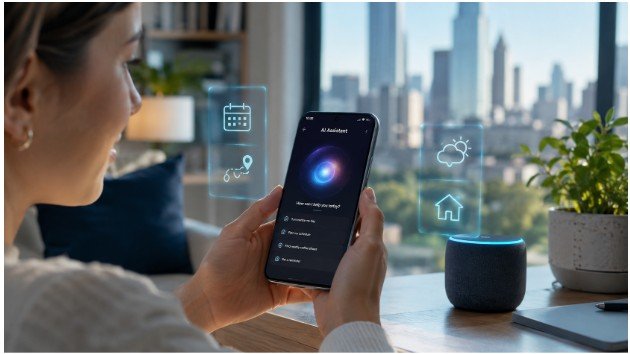
One of the most noticeable Android AI updates is the expansion of Gemini across the operating system. Rather than replacing individual apps, it works alongside them, helping users summarize long emails, brainstorm ideas, draft messages, or answer questions based on what’s already displayed on the screen.

Gemini Live also makes conversations feel more natural. Instead of repeating short commands, users can have back-and-forth discussions, ask follow-up questions, and even reference previous parts of the conversation without starting over.

This creates a smoother experience that feels closer to talking with a knowledgeable assistant than issuing isolated voice commands.

AI Is Finally Saving Time Across Multiple Apps

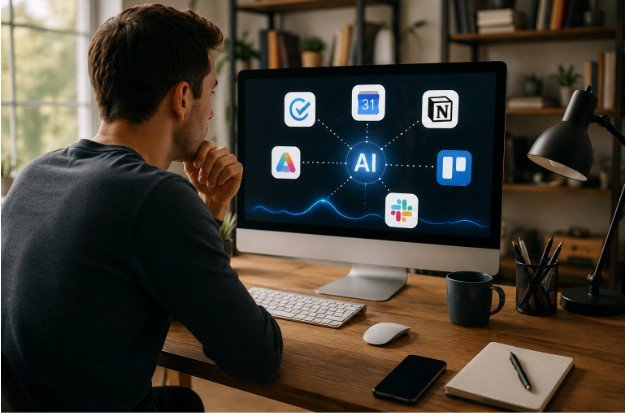
Android’s newest AI features aren’t limited to one application anymore. Native app automation allows AI to perform tasks across supported apps, reducing the number of steps needed to finish everyday activities.

For example, planning a dinner can involve finding a restaurant, adding the event to your calendar, sending directions through messaging, and setting a reminder—all with fewer manual actions than before.

Another welcome improvement is smarter voice dictation. Android now recognizes natural speech patterns more accurately, making punctuation, corrections, and formatting feel much less frustrating. For anyone who frequently replies to emails or sends long messages, this update alone can save several minutes every day.

Searching and Creating Are Becoming Easier

Searching and Creating Are Becoming Easier

Circle to Search continues to evolve into one of Android’s most practical AI tools. Instead of copying text or opening multiple browser tabs, users can simply circle an object, product, or phrase already visible on their screen to receive instant results.

Android is also experimenting with AI-powered customization. New widget creation tools allow users to build personalized home screen layouts that better match how they actually use their phones. Rather than searching through dozens of widget designs, AI can recommend layouts based on individual preferences and usage patterns.

Photo editing has also become more accessible. AI-powered editing tools can remove distractions, improve lighting, enhance portraits, and simplify complex edits that previously required separate software. Small improvements like these help users create better photos without spending extra time learning advanced editing techniques.

Better Entertainment and Digital Well-Being

The latest Android AI updates extend beyond productivity. Google’s partnership with Meta introduces native Ultra HDR support for Instagram on compatible devices, allowing photos to retain more realistic lighting and richer detail when shared.

Audio improvements are also becoming smarter. AI-powered audio separation helps reduce background noise, making voice recordings and videos sound clearer without requiring professional editing skills.

At the same time, Android continues strengthening Digital Wellbeing. Updated tools encourage healthier screen habits through smarter usage insights, better focus options, and reminders that help users build a healthier relationship with their devices.

Many of these improvements work quietly in the background, making everyday interactions feel smoother without constantly asking for attention.

Which Android AI Updates Are Actually Worth Using?

Which Android AI Updates Are Actually Worth Using

Not every AI feature becomes part of your daily routine, but a few already stand out because they solve real problems. Gemini Live makes conversations with your phone feel more natural, Circle to Search removes unnecessary steps when looking up information, and AI-powered writing tools help draft emails or summarize content within seconds.

Photo editing has also become much more approachable. Instead of learning complicated editing software, users can quickly remove unwanted objects, improve lighting, or enhance images with just a few taps. Combined with smarter voice dictation and app automation, these updates save time without requiring extra effort.

If you’re exploring the latest AI features on Android, focus on the ones that naturally fit your routine rather than trying every new tool. The most valuable updates are often the ones that quietly make everyday tasks simpler.

FAQs: The Most Useful Android AI Updates You’ll Actually Notice

What is the biggest Android AI update in 2026?
Gemini Intelligence is one of the biggest upgrades, bringing smarter conversations, app automation, and better on-device assistance across supported Android phones.

Do Android AI updates work on every phone?
No. Some features require newer Android versions or compatible hardware, while others gradually roll out to additional devices through software updates.

Are Android AI features safe to use?
Many newer AI tools process information directly on compatible devices, improving privacy while delivering faster responses for everyday tasks.

Which Android AI feature is most useful for daily use?
For most users, Gemini Live, Circle to Search, AI writing assistance, and smarter voice dictation provide the biggest time-saving benefits throughout the day.

Why Android AI Is Becoming Part of Everyday Life

The latest Android AI updates aren’t about replacing how people use their phones—they’re about removing friction from everyday tasks. Whether you’re searching for information, writing messages, editing photos, or managing your schedule, AI is gradually becoming a helpful assistant instead of a feature that feels experimental.

As Android continues evolving, the best updates will likely be the ones you barely notice because they quietly make every interaction faster, smarter, and more natural.