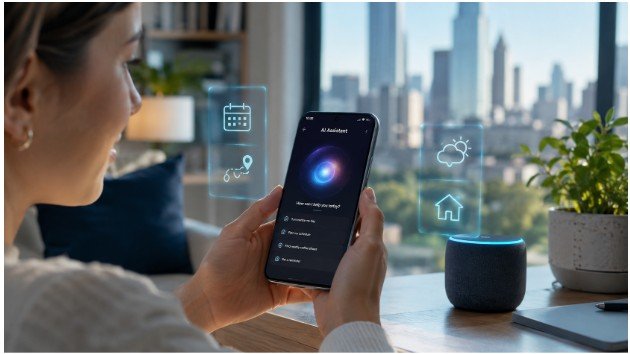

Artificial intelligence has quietly become one of the most useful parts of the Android experience. While flashy announcements often focus on the latest AI models, the features people use every day are the ones that save a few minutes here, remove a frustrating step there, or make a task feel effortless. Chances are, your phone already has several AI-powered tools waiting to be explored.
The best part is that many of these features don’t require technical knowledge or expensive apps. Whether you’re translating a conversation, editing vacation photos, or looking up something you spotted online, today’s AI features on Android are designed to fit naturally into your daily routine. Here are some of the smartest tools you may not be using yet.
Why AI on Android Feels More Practical Than Ever

AI is no longer limited to voice assistants answering basic questions. Modern Android phones use on-device AI and cloud-based intelligence to improve productivity, photography, communication, and accessibility without forcing you to change how you already use your phone.
Instead of replacing your workflow, these features remove small frustrations. That practical approach is why Android AI has become more useful than ever.
Circle to Search Makes Looking Things Up Instantly Easier
One of the most underrated Android AI features is Circle to Search. Rather than switching between apps, you can simply long-press the navigation bar, circle anything on your screen, and instantly search for it.
Whether you’re identifying a pair of sneakers in a social media post, translating a restaurant menu, or learning more about a landmark in a travel photo, Circle to Search removes several unnecessary steps. It’s fast, intuitive, and quickly becomes part of your everyday routine.
Live Translate Helps Break Language Barriers

Communicating across different languages has become much easier thanks to Live Translate.
Available on supported Android devices, this feature can translate text messages, conversations, and even phone calls in real time. Travelers, students, and professionals working with international clients can all benefit from having translations happen almost instantly.
Instead of copying text into another app, everything happens naturally while you continue the conversation.
Call Screen Saves You From Unwanted Calls
Spam calls remain one of the biggest smartphone annoyances. AI-powered Call Screen helps by answering unknown calls on your behalf and asking callers why they’re reaching out before your phone even rings.
If the call is legitimate, you can answer with confidence. If it’s spam, you avoid the interruption entirely.
It’s one of those AI tools that quietly improves your day without requiring any extra effort.
Audio Magic Eraser Cleans Up Noisy Videos

Have you ever recorded the perfect video only to discover that traffic, wind, or background conversations ruined the audio?
Audio Magic Eraser uses AI to identify distracting sounds and reduce them while keeping voices clear. The result is cleaner, more professional-looking videos without downloading complicated editing software.
For anyone who regularly records family events, travel clips, or social media content, this feature can make a noticeable difference.
AI Photo Editing Does More Than Remove Objects
Photo editing has evolved far beyond simple filters.
Many Android phones now include AI editing tools that let you erase unwanted people, reposition subjects, expand backgrounds, or improve lighting with only a few taps. Instead of spending time learning professional editing software, users can create polished images directly from the Gallery or Google Photos app.
These improvements feel especially useful because they solve everyday problems rather than adding unnecessary effects.
Magic Compose Makes Messaging Less Stressful
Not every text message comes together quickly. Whether you’re replying to coworkers, friends, or family members, Magic Compose can rewrite drafts in different tones while suggesting context-aware responses.
You can make a message sound more professional, more casual, or simply more natural depending on the situation.
Combined with Smart Reply, this feature helps reduce typing without making conversations feel robotic.
Gemini Is Becoming a Smarter Everyday Assistant

Google Gemini is changing how Android users interact with their phones. Instead of answering simple questions, it can summarize information, brainstorm ideas, help write emails, organize plans, and answer follow-up questions naturally.
Because Gemini understands context better than traditional voice assistants, it feels more like a productivity partner than a search tool. As Android continues evolving, these AI capabilities are becoming deeply integrated into everyday tasks.
If you’re also exploring the latest Android 16 features, you’ll notice many new AI improvements work alongside existing Android tools to create a smoother overall experience.
Which AI Features Are Worth Using Every Day?
While Android includes dozens of AI tools, a few stand out because they solve common problems quickly.
- Circle to Search for instant visual searches.
- Live Translate for multilingual conversations.
- Call Screen to reduce spam calls.
- Audio Magic Eraser for clearer videos.
- AI photo editing for effortless image improvements.
- Gemini for writing, planning, and productivity.
Rather than trying every feature at once, start with one or two that match your daily habits. You’ll likely discover they become second nature within a few days.
FAQs: AI Features on Android You Probably Haven’t Tried Yet
Which Android phones support these AI features?
Many features are available on newer Pixel devices, while Samsung Galaxy phones include similar Galaxy AI tools. Availability varies by device and Android version.
Is Circle to Search available on every Android phone?
No. It currently supports selected Android devices, with availability expanding through software updates and manufacturer support.
Do AI features work without an internet connection?
Some features use on-device AI and work offline, while others, like Gemini or cloud-based translations, require an internet connection for the best results.
Are Android AI features safe to use?
Most are designed with privacy controls, and many process data directly on the device. It’s still a good idea to review permissions and privacy settings before enabling new AI features.
The AI Features You’ll Actually Keep Using
The most valuable AI features on Android aren’t the ones with the flashiest demonstrations—they’re the ones that quietly save time every single day. Whether you’re editing photos, screening unwanted calls, translating conversations, or searching your screen instantly, these tools remove everyday friction without changing how you naturally use your phone. As AI continues improving, Android is becoming less about adding more features and more about making familiar tasks feel effortless.
Sometimes the smartest upgrade isn’t a new phone—it’s discovering what your current one can already do.