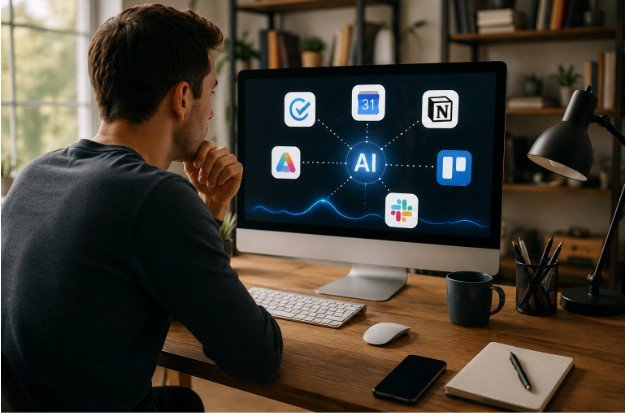
Not long ago, finding a good productivity app usually meant accepting one of two compromises. You either downloaded a free app with frustrating limitations or paid for premium software before knowing if it fit your workflow. That gap has become much smaller. Many developers now offer generous free plans that include features once reserved for expensive subscriptions, making it easier to stay organized without spending money.
That’s exactly why free productivity apps with premium features have become so popular. Whether you’re managing college assignments, juggling work projects, or organizing personal goals, today’s freemium apps provide impressive functionality while giving users the option to upgrade only when they truly need advanced tools. The challenge isn’t finding a good app anymore; it’s choosing the one that matches the way you work.
What Makes a Free Productivity App Feel Premium?

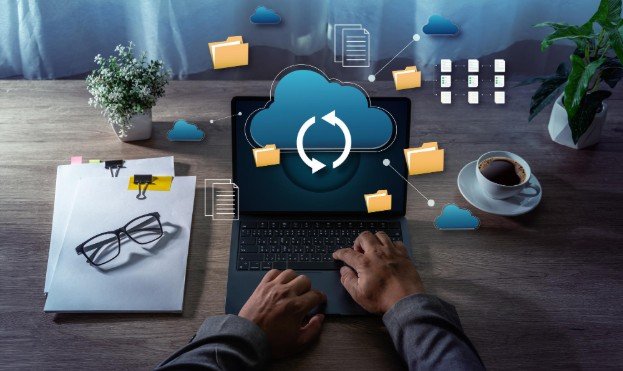
A quality free plan should do more than create simple to-do lists. The best productivity tools offer cloud syncing, cross-platform support, collaboration features, reminders, templates, and intuitive interfaces without forcing users to subscribe immediately.
Premium plans still add value through AI assistants, workflow automation, advanced reporting, or unlimited workspaces, but many users discover they can comfortably manage everyday tasks using only the free version.
Apps That Deliver More Than You’d Expect
Not every productivity app deserves space on your phone or laptop. These options stand out because their free versions remain genuinely useful instead of acting like extended trials.
- Todoist – Perfect for task management with natural language input, labels, recurring tasks, and up to five active projects on the free plan. Premium adds AI-powered assistance, reminders, and larger project limits.
- TickTick – Combines task lists, habit tracking, calendar views, and a built-in Pomodoro timer. The paid version unlocks advanced calendar layouts, smart filters, and deeper productivity analytics.
- Microsoft To Do – One of the few completely free productivity tools. It integrates seamlessly with Outlook and Microsoft accounts while offering the helpful “My Day” planner for daily priorities.
- Notion – Ideal for creating notes, databases, planners, and personal knowledge bases. Individual users receive unlimited pages and blocks, while premium plans introduce advanced collaboration and AI-powered writing assistance.
Visual Workspaces Make Complex Projects Simpler

Simple checklists work well for daily reminders, but larger projects often require a visual approach. That’s where collaborative workspace apps continue to shine.
Trello remains one of the easiest Kanban board applications to learn. Its free version supports multiple collaborative boards, unlimited cards, and basic automation rules, making it suitable for students, freelancers, and small teams. Premium subscribers gain timeline views, dashboard reporting, and AI-powered workspace features that simplify project planning.
ClickUp also deserves attention because it combines project management, document creation, goal tracking, and whiteboards inside one platform. Even its free plan includes enough functionality to manage personal workflows or small business projects without feeling restricted.
AI Is Becoming a Productivity Partner
Artificial intelligence is quietly transforming how productivity apps work. Instead of replacing traditional organization tools, AI now handles repetitive administrative tasks so users can focus on meaningful work.
Notion AI helps summarize notes, brainstorm ideas, and rewrite content. Microsoft Copilot assists with documents and task creation inside the Microsoft ecosystem. These capabilities remain premium features, but their gradual integration shows where productivity software is heading.
AI scheduling assistants are evolving just as quickly. Reclaim.ai automatically finds time for habits, meetings, and focused work by reorganizing your calendar intelligently. The free plan works well for individuals, while paid plans introduce multi-calendar management and advanced scheduling controls.
Choosing the Right App for Your Workflow

The best productivity app isn’t necessarily the one with the longest feature list. It’s the one you’ll actually use every day. If your priority is simple task management, Todoist or Microsoft To Do offers a clean experience with minimal setup. If you prefer building customized dashboards, databases, and notes, Notion provides far more flexibility. Visual thinkers often enjoy Trello’s Kanban boards, while TickTick appeals to users who want tasks, habits, and focus sessions in one place.
If your schedule constantly changes, AI-powered tools like Reclaim.ai can remove much of the manual planning. Meanwhile, Otter.ai helps students and professionals by automatically transcribing meetings, interviews, and lectures, saving valuable time that would otherwise be spent taking notes. Instead of downloading several apps, start with one that solves your biggest productivity challenge and expand your toolkit only when necessary.
Many people assume premium subscriptions are required to stay organized, but that’s no longer true. Today’s free productivity apps with premium features allow users to build efficient workflows without committing to monthly fees. As your workload grows, upgrading becomes a choice rather than a requirement.
FAQs: From Task Lists to AI Tools: Free Productivity Apps with Premium Features
Which free productivity app is best for most people?
Notion and Todoist are excellent all-around choices. Notion works well for notes and planning, while Todoist is ideal for managing daily tasks with a simple interface.
Do free productivity apps include AI features?
Some do. Apps like Notion and Microsoft offer limited AI capabilities, while advanced writing, summaries, and automation are typically available through premium subscriptions.
Can I use these apps across multiple devices?
Yes. Most leading productivity apps support cloud sync across desktop, mobile, and web platforms, making it easy to continue your work anywhere.
Is upgrading to a premium plan always necessary?
No. Most users can comfortably manage personal tasks, projects, and schedules using the free plans. Premium features become valuable mainly for advanced collaboration, automation, or large-scale project management. For remote and hybrid teams, however, online project management services offer additional advantages beyond basic task tracking. Features such as real-time collaboration, shared workspaces, file sharing, progress dashboards, team messaging, and automated workflows help improve communication, keep projects organized, and ensure everyone stays aligned regardless of location.
Why the Best Productivity Tool Is the One You Keep Using
The real value of productivity software isn’t measured by the number of features it offers; it’s measured by how consistently it helps you stay organized. Whether you prefer simple task lists, visual project boards, AI scheduling, or digital note-taking, today’s free tools provide enough flexibility to support nearly every workflow without adding another monthly subscription.
Start with one app, build habits around it, and upgrade only when your work genuinely demands more. In many cases, the free version is capable of taking you much further than you might expect.