Managing projects used to mean gathering everyone in the same room, reviewing printed timelines, and relying on endless email threads to keep work moving. That approach doesn’t fit today’s workplace. With remote and hybrid teams becoming the norm, collaboration happens across different locations, time zones, and schedules. Without the right systems in place, even simple projects can quickly become difficult to manage.
That’s where online services that simplify project management have made a real difference. Instead of juggling spreadsheets, scattered notes, and multiple communication channels, teams can organize tasks, share updates, and track progress from one place. These platforms don’t just improve productivity; they make teamwork more transparent, flexible, and easier to manage regardless of where people are working.
Why Modern Teams Need Better Project Management?

Project management isn’t just about assigning tasks anymore. Today’s teams collaborate across departments, work asynchronously, and often balance several projects at once. Without a centralized system, important information can easily get buried in emails or chat messages.
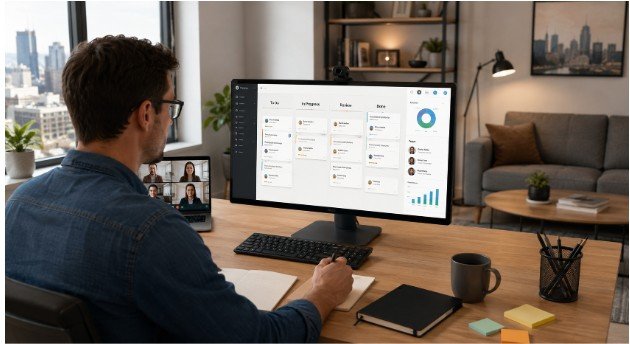
Online project management services bring everything together. Team members can see project timelines, monitor deadlines, upload files, leave comments, and receive real-time updates without constantly asking for status reports. This creates better visibility and helps everyone stay aligned from the beginning of a project to its completion.
What Makes Online Project Management Services Effective?
The best platforms aren’t necessarily the ones with the most features. They’re the ones that remove unnecessary complexity while helping teams work more efficiently.
Some of the most valuable capabilities include:
- Task assignments and deadline tracking
- Kanban boards and timeline views
- Document sharing and collaboration
- Workflow automation
- Calendar integration
- Real-time notifications
- Progress dashboards
- Mobile accessibility
- Integrations with workplace tools
When these features work together, teams spend less time organizing work and more time completing it.
Online Services That Simplify Project Management
Asana Keeps Complex Projects Organized

Asana has become a popular choice for organizations managing projects across multiple departments. It helps teams break large initiatives into smaller tasks while connecting every stage of a project through timelines, boards, and list views.
Its collaboration features allow team members to comment directly on tasks, attach files, and monitor deadlines without switching between multiple applications. This makes it particularly useful for marketing, operations, and product teams handling interconnected work.
Many of these platforms also offer free productivity apps with premium features that are sufficient for individuals and small teams. Free plans often include task management, shared workspaces, file attachments, calendars, reminders, and limited automation, allowing users to stay productive without upgrading until their collaboration or workflow needs become more advanced.
Trello Makes Task Management Easy to Understand
Not every team needs an advanced project management platform. Trello succeeds because of its simplicity. Built around visual Kanban boards, it allows users to move tasks through different stages with minimal effort.
Small businesses, freelancers, and startups often choose Trello because the learning curve is low. Team members can understand project status almost instantly, making daily collaboration much smoother.
ClickUp Combines Multiple Workspaces Into One

Many growing businesses eventually find themselves using one app for documents, another for tasks, and another for reporting. ClickUp aims to bring everything together.
The platform offers multiple project views, dashboards, goal tracking, document collaboration, and customizable workflows. Instead of jumping between different tools, teams can manage planning, execution, and reporting from a single workspace.
Monday.com Makes Progress Easy to Visualize
Monday.com focuses heavily on visual project tracking. Color-coded dashboards, customizable workflows, and automation features help teams understand project status at a glance.
Its flexibility allows organizations to adapt the platform for different departments, whether they’re managing marketing campaigns, sales pipelines, software development, or operational projects.
Notion Connects Knowledge With Daily Work

Project management isn’t only about tasks. Teams also need documentation, meeting notes, operating procedures, and knowledge bases.
Notion combines these elements into one collaborative workspace. Instead of storing information across multiple platforms, teams can build a centralized digital workspace where documentation and project execution exist together.
Basecamp Reduces Communication Overload
One of the biggest challenges for remote teams is managing communication without creating constant interruptions.
Basecamp addresses this by organizing conversations alongside project work. Message boards, schedules, to-do lists, and file sharing replace lengthy email chains, making it easier for teams to stay informed without attending unnecessary meetings.
Wrike Supports High-Volume Team Collaboration
Creative agencies and cross-functional teams often manage dozens of deliverables simultaneously. Wrike helps organize approvals, deadlines, resource planning, and workflow management through customizable dashboards and reporting tools.
Its visibility across multiple projects helps managers identify bottlenecks before they delay delivery.
Loom Improves Asynchronous Communication
Sometimes typing a long explanation takes more time than showing it.
Loom allows users to record short screen and webcam videos that explain project updates, provide feedback, or demonstrate processes. Team members can watch whenever their schedules allow, making asynchronous collaboration much more effective across different time zones.
Choosing the Right Service for Your Team
No project management platform works perfectly for every organization. The right choice depends on how your team communicates, the complexity of your projects, and the tools you already use.
Before selecting a platform, consider:
- Team size and future growth
- Ease of adoption
- Workflow automation needs
- Integration with existing software
- Reporting and analytics capabilities
- Budget and scalability
Choosing a service that fits your workflow is often more valuable than choosing one with the longest feature list.
FAQs: Online Services That Simplify Project Management for Remote and Hybrid Teams
Which online project management service is easiest for beginners?
Trello is often recommended because its visual boards are simple to understand, making it easy for individuals and small teams to organize tasks quickly.
Are project management platforms only useful for large companies?
No. Freelancers, startups, nonprofits, and small businesses also benefit from organizing work, tracking deadlines, and improving collaboration.
Can these services work with other business tools?
Most leading platforms integrate with tools like Google Workspace, Microsoft Teams, Slack, Zoom, and cloud storage services, reducing manual work.
How do these services improve remote collaboration?
They centralize communication, task management, documents, and project updates, allowing distributed teams to stay aligned without relying on long email chains or frequent meetings.
Better Collaboration Starts With Better Organization
The way teams work has changed, and project management has changed with it. Online services that simplify project management aren’t replacing good leadership or communication; they’re making both more effective. By centralizing information, improving transparency, and supporting flexible collaboration, these platforms help teams spend less time managing work and more time accomplishing meaningful results.
As remote and hybrid work continues to evolve, the organizations that embrace simpler, smarter collaboration tools will be better prepared for whatever comes next.