
I have learned that expensive editing software does not automatically produce better videos. Most creators need accurate trimming, smooth transitions, readable captions, reliable audio controls, color correction, and clean exports.
The challenge is finding Low-cost video editing software that provides these essentials without watermarks, expensive upgrades, or demanding hardware. The right choice depends on what you create and your editing experience.
A beginner making social clips needs a simpler workflow than a filmmaker handling several cameras and 4K footage. The options below balance usability, performance, export quality, platform support, long-term cost, and room for growth.
Best Affordable Video Editors at a Glance
DaVinci Resolve is the strongest overall option for advanced editing without an immediate subscription. Shotcut is a dependable open-source editor, while Kdenlive provides greater timeline flexibility.
Clipchamp is convenient for browser-based videos, iMovie suits Apple beginners, and Filmora works well for users who prefer guided tools. Choose the program that handles your projects smoothly instead of paying for professional features you may never use.
DaVinci Resolve: Best Overall Free Editor
DaVinci Resolve combines timeline editing, professional color correction, visual effects, motion graphics, and audio post-production. Its free version is powerful enough for YouTube videos, interviews, documentaries, short films, and many client projects.
It supports keyframing, multicamera editing, proxy workflows, and detailed audio mixing. The interface can feel overwhelming, and the software performs best on a capable computer. It is ideal for creators willing to learn a professional workflow.
Shotcut: Best Open-Source Editor
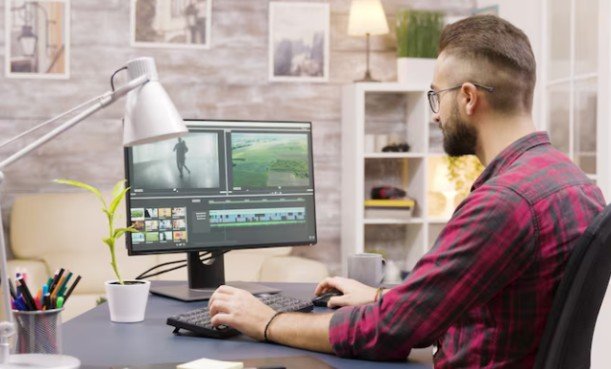
Shotcut is free, open source, and available for Windows, macOS, and Linux. It supports many formats and includes filters, transitions, keyframes, audio adjustments, and high-resolution exports.
Its interface is less polished than commercial alternatives, but it covers the essentials for tutorials, presentations, family videos, screen recordings, and online content. It also avoids subscriptions and account requirements.
Kdenlive: Best for Flexible Timeline Work
Kdenlive offers multitrack editing, subtitles, customizable workspaces, effects, and proxy editing across several operating systems. Its timeline suits longer videos with numerous clips, audio tracks, and overlays.
Proxy editing is helpful for high-resolution footage on modest hardware because it uses smaller temporary files while preserving final export quality.
Clipchamp: Best for Quick Online Videos
Microsoft Clipchamp helps users create videos quickly without learning a professional editing suite. It includes templates, screen recording, stock elements, text tools, vertical formats, automatic captions, and selected AI-assisted features.
Its browser workflow is useful for presentations, school projects, short marketing videos, and social content. Some premium assets and advanced tools may require payment, so review the current plan limits.
iMovie: Best for Apple Beginners
iMovie provides a simple editing experience across compatible iPhone, iPad, and Mac devices. Its clean layout makes trimming, titles, music, transitions, green-screen effects, picture-in-picture, and high-resolution video approachable.
It works well for family videos, travel footage, school assignments, and new content channels. Advanced users may eventually need stronger color, audio, keyframing, and motion tools.
Filmora: Best Beginner-Friendly Paid Editor
Filmora focuses on convenience through templates, effects, captions, automated tools, and an accessible timeline. It suits creators who want more guidance than open-source software provides without the complexity of a professional system, just as the best PDF editor for Windows can simplify document editing through user-friendly tools.
Before purchasing, review the watermark policy, renewal terms, AI credit limits, asset subscriptions, and upgrade rules. A perpetual license may cover only the purchased major version.
How to Choose the Right Affordable Editor
Check Watermarks and Export Restrictions
A free download does not always provide unrestricted exports. Some editors limit resolution, frame rate, project length, formats, or commercial use. Others add a watermark unless the user upgrades. Confirm these restrictions before editing an important project.
Match the Editor to Your Computer
High-resolution footage, multiple tracks, and heavy effects require processing power, memory, and fast storage. Older computers may perform better with proxy editing, reduced preview quality, hardware encoding, and lightweight effects. A simpler editor that runs reliably is often the better choice.
Calculate the Full Cost
Do not judge an editor only by its monthly price. Include renewals, upgrades, cloud storage, stock footage, premium effects, and AI credits. A one-time license offers better value only when the purchased version remains useful without frequent paid upgrades.
Prioritize Features You Will Use
Beginners should look for a clear timeline, autosave, captions, transitions, audio controls, and simple exports. Experienced users may need multicamera editing, motion tracking, keyframes, proxy media, advanced color correction, and detailed sound mixing.
Frequently Asked Questions
1. What Is the Best Low-cost video editing software for Beginners?
Clipchamp and iMovie are among the easiest starting options. Filmora offers a guided paid experience, while Shotcut suits beginners prepared to learn a traditional timeline.
2. Can Free Video Editors Export Without Watermarks?
Yes. DaVinci Resolve, Shotcut, Kdenlive, and iMovie can produce clean exports within their supported capabilities. Check current licensing and plan restrictions before commercial work.
3. Which Editor Is Suitable for an Older Computer?
Shotcut and Kdenlive can be practical choices, especially when preview quality or proxy media is configured correctly. Performance depends on footage resolution, effects, memory, processor speed, and storage.
4. Is a Perpetual License Better Than a Subscription?
A perpetual license may reduce long-term costs, but it may exclude future major versions, premium assets, cloud tools, or new AI features. A subscription can be worthwhile when regular updates and stock libraries are essential.
Final Thoughts
I would begin with a free editor and complete one real project before paying. DaVinci Resolve offers the strongest growth path, Shotcut and Kdenlive provide open-source flexibility, Clipchamp and iMovie simplify the learning process, and Filmora adds convenience for users who prefer a polished paid workflow.
My decision would depend on clean exports, stable performance, and total ownership cost rather than the longest feature list. The right editor should fit the available computer, support the intended content, and remain affordable after renewals, upgrades, storage, asset packs, and optional AI tools are considered.